
01 · WHAT TO TALK ABOUT
Find a story worth explaining.
Start with sourced news relevant to your audience. Open the original reporting and choose the story you want to discuss.
Choose your content mode ↗
ONE GREEN SCREEN A DAY
Turn today’s news into a video in your own voice. ReelMachine AI helps you find a story, shape your opinion and edit a script. Record on iPhone with a voice-following teleprompter and green-screen studio, then review captions and prepare your social posts.
Plans per organization. Web: $99/month or $999/year. Renews until canceled. Eligible new monthly subscribers get 3 days free; annual plans have no trial. Available on the App Store.
FROM YOUR NEXT IDEA TO YOUR NEXT TAKE
ReelMachine AI brings the preparation together. You bring your perspective and record yourself.
01 · WHAT TO TALK ABOUT
Start with sourced news relevant to your audience. Open the original reporting and choose the story you want to discuss.
Choose your content mode ↗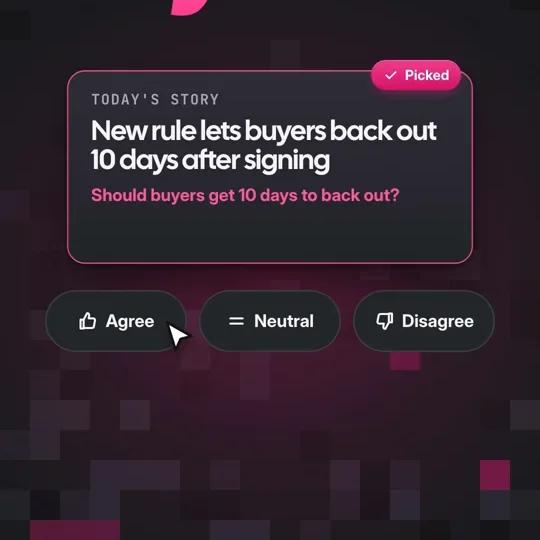
02 · WHAT TO SAY
Agree, disagree or stay neutral in the standard workflow. Add your experience, then review and edit the AI script.
See how scripts work ↗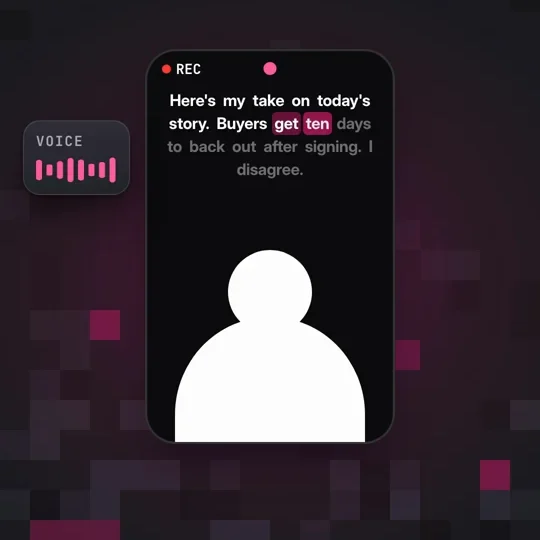
03 · HOW TO PRESENT IT
Record over an article image or video with live background removal and a teleprompter that follows your voice.
Explore the iPhone studio ↗Product-film illustrations with example headlines.
LESS GUESSING. MORE TO SAY.
Turn one story into a clear opening, your point of view and a useful takeaway.
Read the camera guide ↗Practical prompts for founders, experts and creators, with examples you can adapt.
Explore video ideas ↗Watch the 66-second overview, see the visual workflow and read the transcript.
Watch ReelMachine AI ↗START WITH YOUR VOICE
Send a voice note in English or Italian—or type. Tell us about your work, your audience, and what interests you. Review your brand profile, then let the daily research begin. No long list of categories.
Choose how broad your stories should be: Pro focuses on your field; Content Machine adds general news; Beast includes politics; Legend adds an opinion-first format. Your mode sets the scope. You choose the story and your own point of view.
YOUR DAILY CONTENT ROUTINE
YOUR TELEPROMPTER. YOUR CONTROL.
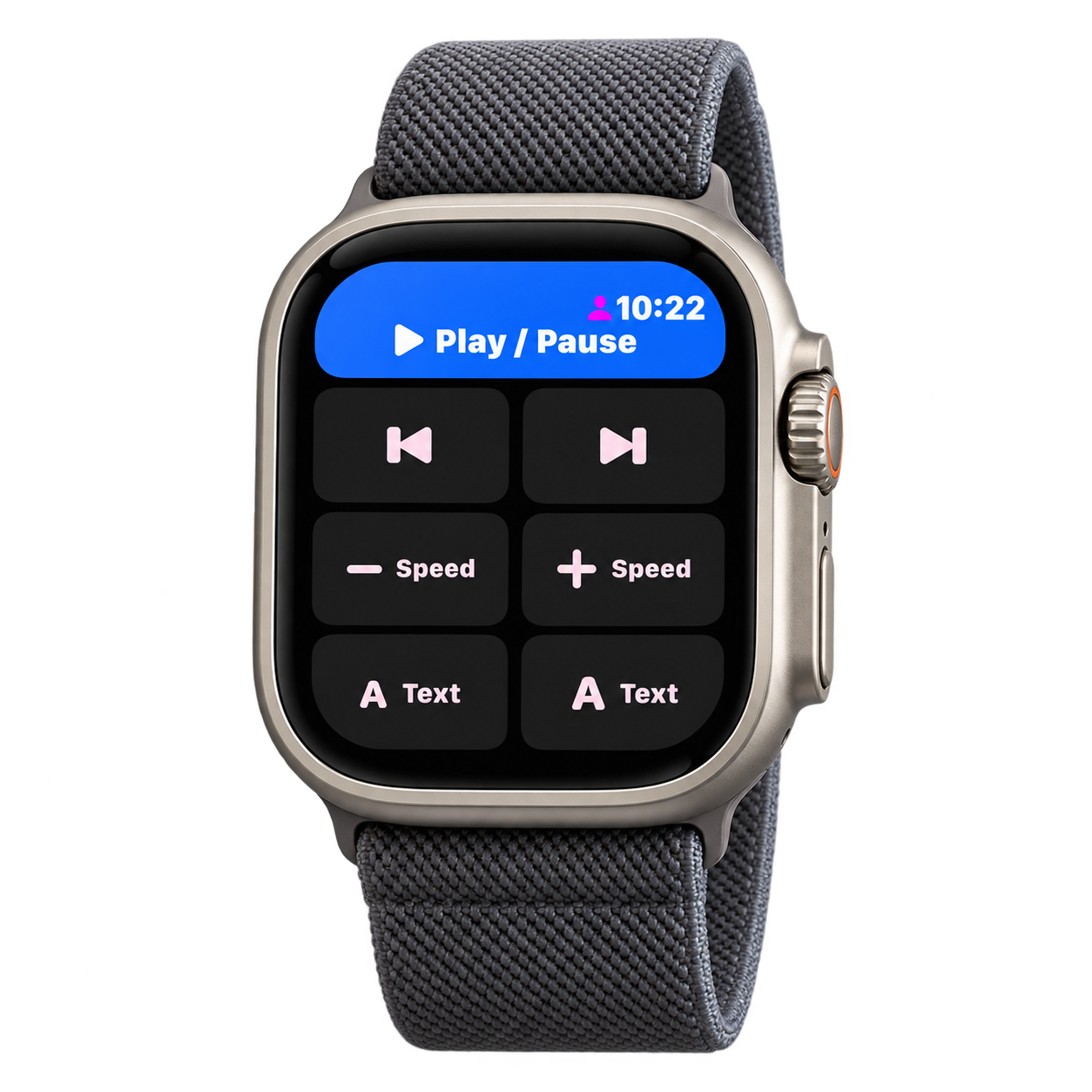
Control your teleprompter with your Apple Watch or a remote we’ll send you for free. Keep your iPhone in position and stay focused on what you want to say.
FROM YOUR WRIST
Play or pause your teleprompter, move through your script, and adjust scrolling speed and text size from your Apple Watch.
Use your own Apple Watch. Watch not included.
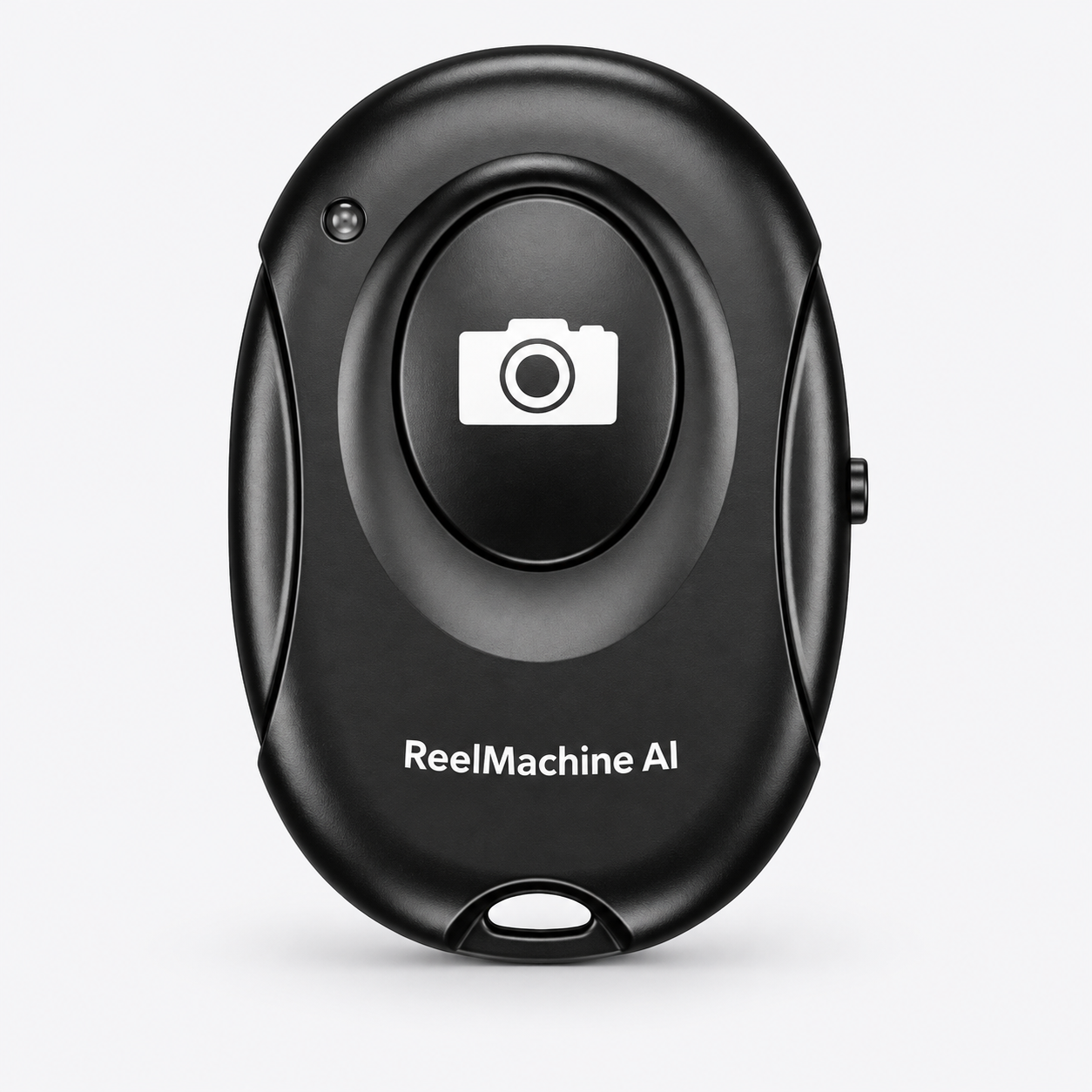
SENT TO YOU FOR FREE
Prefer a handheld control? We’ll send you a free remote to control your ReelMachine AI teleprompter without reaching for your iPhone.
ReelMachine AI branding preview shown.
LESS PREPARATION. MORE OF YOU.
Read the original reporting before you record. Your feed favors fresh, distinct stories—not invented headlines or claims of guaranteed virality.
Edit every draft. Keep your stance and personal experience in your control. No avatars replacing you.
Review platform-specific captions, choose connected accounts, then publish or schedule. Availability depends on each platform and account.
ONE ORGANIZATION. ONE BRAND.
Keep each organization’s profile, scripts, and social accounts separate. Browse prepared scripts by date and return to them for up to 30 days.
Explore agency workflowsWeb subscriptions through Stripe: $99/month or $999/year per organization. Planned Apple in-app subscriptions: $99/month or $999/year per organization, subject to App Store availability. Eligible new monthly subscribers get 3 days free; annual plans have no trial. Both renew until canceled.
Compare billing optionsTHE DAILY GREEN-SCREEN ROUTINE
Choose a news story, add your perspective, and record yourself over the article image. Repeat with a fresh story tomorrow. ReelMachine AI brings research, scripts, a teleprompter, recording, and supported publishing into one iPhone workflow.
Read the practical guideABOUT REELMACHINE AI
ReelMachine AI is a green screen app for iPhone that lets you record your own commentary over news articles, images, and videos without a physical green screen. It combines live background removal, sourced stories, editable AI scripts, a voice-following teleprompter, and supported social publishing.
ReelMachine AI uses live person cutout on iPhone to remove your real background while you record. Place an article screenshot, image, or video behind you, then position and resize yourself in the scene. A physical green backdrop is not required.
Yes. Open your reviewed script in the studio and use Voice Follow or manual scrolling while recording yourself over the article image. Teleprompter text is excluded from the finished video.
It means recording one short video each day in which you explain or react to a news article with the article image behind you. Choose a story, read the source, add your own perspective, record, and invite questions. The routine does not require a physical green screen.
No. You record yourself with your own face and voice. AI helps research stories and draft scripts; you review the sources, choose your opinion, edit the script, and confirm publishing.
Yes. ReelMachine AI is available on the App Store. Create your website account, scan your QR code, and download the app on your iPhone. Use the same account in the app. Check app availability.
Each organization has its own plan: 99 per month or 999 per year in USD, GBP, or EUR. Eligible new monthly subscribers get 3 days free; annual plans have no trial. Plans renew until canceled. Apple in-app purchases are being prepared and are not live yet. See the pricing page for billing details. View pricing.
YOUR PERSONAL BRAND. ALWAYS CREATING.
Web plans: $99/month or $999/year per organization. Eligible new monthly subscribers get 3 days free; annual plans have no trial. Renews until canceled.
Start nowCompare the plans